
The #1 client portal for accountants
Give clients an easy way to access key information and documents from your WordPress website — uploads, contracts, returns and forms in one branded place.


yourfirm.com/portal/client-name
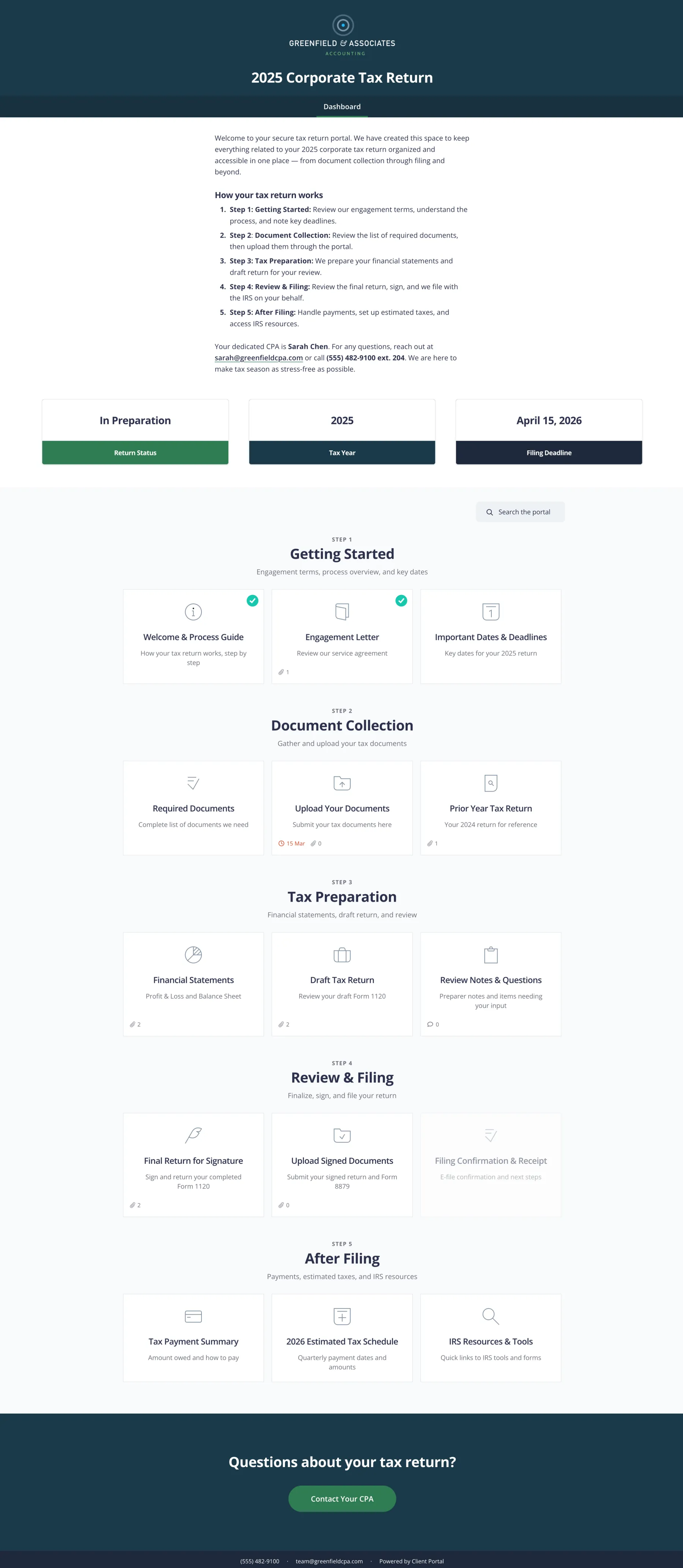
Scroll to see the full portal.
What’s in an accounting portal
Most firms deal with the same paperwork cycle. Here’s what accountants usually put in the portal so clients stop digging through email.
Onboarding
- Engagement letter
- ID / KYC checklist
- Welcome video
Document collection
- Upload area for CSVs and PDFs
- Checklist of what’s needed
Working papers
- Shared forms
- Questionnaires
- Status updates
Delivery
- Tax returns
- Accounts
- Signed letters
Ongoing
- Prior-year files
- Deadlines
- Support request form
Stop resending the 1997 tax return at 11pm
As an accountancy firm or CPA, you deal with a multitude of files, documents, forms and paperwork daily — usually over bloated email threads.
Most clients aren’t organised with digital paperwork. They leave everything in their inbox, look for it a year later, give up, then email you urgently for something you already sent.
Client Portal gives clients a dashboard they can log into any time to find everything you’ve ever sent them. No more searching long threads. No more resending the same documents.
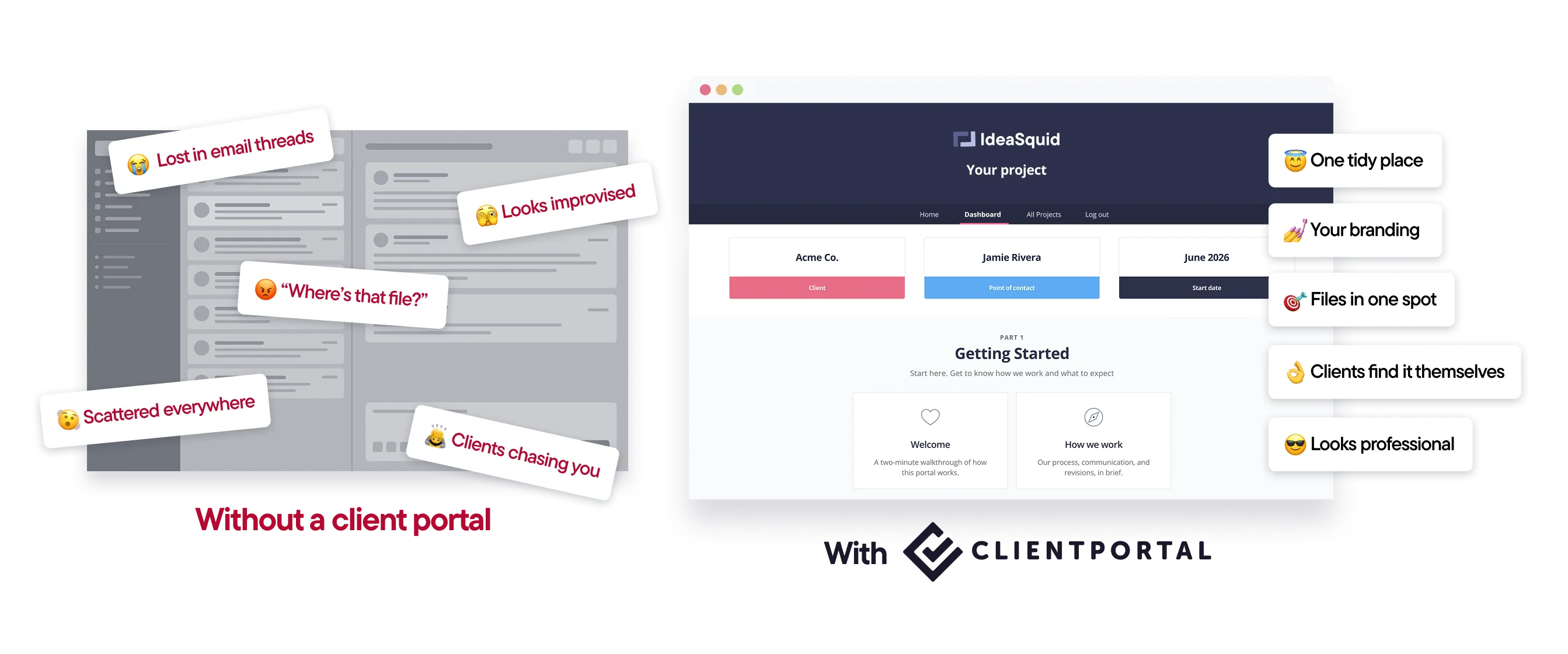
One place for client paperwork, on your domain
Client Portal is a WordPress plugin. Clients see yourfirm.com, not another SaaS logo.
Let clients upload CSVs and documents. Keep contracts, returns and forms together. Create separate portals when a client has more than one engagement.
Embed the form plugins you already use for intake and feedback.
How it works
Create a portal per client (or per engagement).Reuse a structure once you’ve built one you like.
Add upload areas and key files.Clients send you what you need; you deliver what they need.
Embed forms where useful.Intake, checklists, feedback — in the portal, not another email.
Send one link.That’s the place they come back to every year.
“Thank you very much for this nice plugin, I have searched for a long time to find something like this.”
Features accountants use most
Client file uploads
Clients upload CSVs and documents to their portal so you can get what you need for their books.
Documents in one place
Contracts, returns and forms stay together — end the “could you resend…” emails.
Multiple portals per client
Separate portals for different projects or years when you need them.
Embedded forms
Embed the intake and feedback forms you already use.
Your branding
Match your accounting firm’s website.
Notifications
Tell clients when something new is ready.
What people say about Client Portal

I have been using Client Portal with some of my customers and they absolutely love it! I was hesitant at first because I'm not really in the creative or design industry. I make business plans, financial projections, cost accounting and stuff like that, and it has worked like a charm.
–Roberto Cornejo Reindl

I've been using Client Portal since 2020 and it has become a vital part of my practice. The portal is fantastic and helps me deliver a consistent client facing experience.
–Candice Rutherford, CPB

I'm glad to know the product is actively being supported and suggestions are welcomed. It makes me even more glad I made the purchase of Client Portal.
–Dane Janas, EA
Templates you can use today
Start from a gallery template, add your branding and document checklists, and send it to your next client.
Client Onboarding
Use Client Portal to onboard every new client the same way
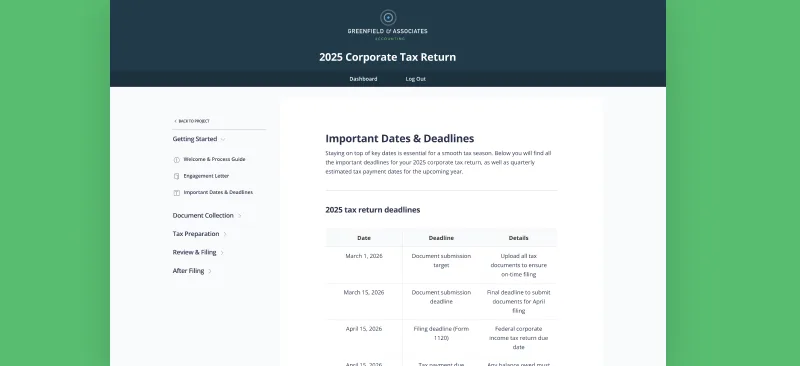
Accounting
Give your accounting clients a single place to upload documents, track deadlines, and access their completed returns
Is Client Portal right for your firm?
It’s a good fit if:
- Your site runs on WordPress
- You want clients to upload and download documents without email tennis
- You’d rather keep your practice tools and give clients a simple front door
It’s probably not the right fit if:
- You need a full practice management suite with billing and e-signatures built in. Client Portal complements those tools; it doesn’t replace them.
- You’re not on WordPress.
$199 a year · 30-day money-back guarantee
“Your platform is dead simple, easy to customize, and beautiful on mobile. It allowed us to launch our new client dashboard 3 weeks ahead of schedule!”
Frequently asked questions
“Can clients upload files to their portal?”
Yes. Clients can upload files straight to their portal, and you get a notification when they do. Portal files are kept private and separate from the WordPress media library.
“Is Client Portal a WordPress plugin?”
Yes. It runs on your own WordPress site, so portals sit on your domain.
“How much does it cost?”
$199 a year for one site, with a 30-day money-back guarantee. There’s no higher tier.
Give every client one place for their paperwork
Client Portal is $199 a year for one site, with unlimited portals and clients. There’s no higher tier. 30-day money-back guarantee.
Get Client Portal