
A client portal for web design agencies
Client Portal is a WordPress plugin that brings the tools and resources you already use into one branded portal for each client. Your forms, prototypes, docs, videos and booking links stay where they are. Your client gets one straightforward place to find them.


youragency.com/portal/onboarding
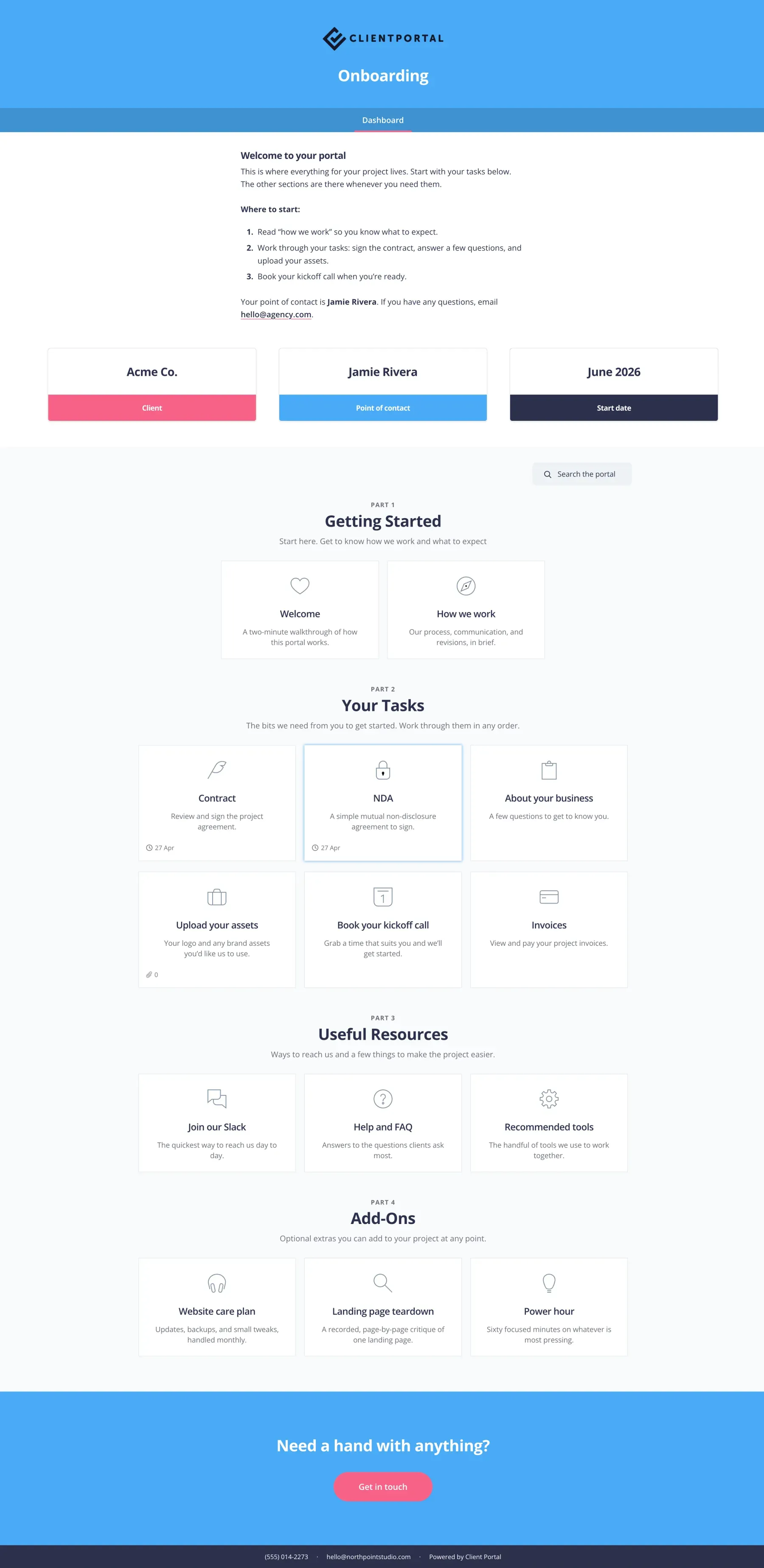
Scroll to see the full portal.
What’s in a web design portal
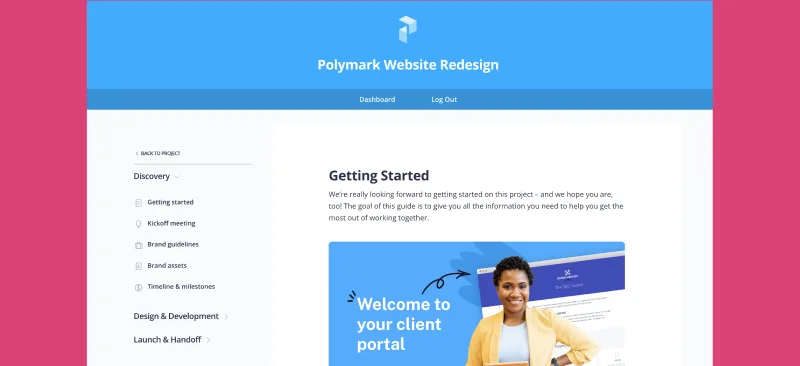
Most web projects move through the same phases. Here’s what agencies usually put in the portal at each one, so clients always know where things are and what you need from them.
Discovery and kickoff
- Welcome video
- Project timeline
- Onboarding form
- Your proposal
Content and assets
- Content checklist
- A shared Google Doc
- A form for logos and copy
Design
- Figma prototype
- Comments for feedback
- A step the client marks as approved
Build and review
- Staging link
- Feedback form
- Anything still waiting on the client
Launch and handover
- Training videos
- Final brand files
- Anything sensitive in Private Files
Care plan
- Maintenance reports
- Support request form
- Renewal dates
Your process works. It’s just in a lot of places.
By the time you’ve run a few dozen web projects, you know what works. You’ve tried the form tools and kept the one clients fill in. Prototypes live in Figma. Content gets written in a shared Google Doc. Calls get booked through Calendly, and maintenance reports come from your care plan tool. Each one earned its place.
Then there’s everything you’ve built up around the work: the video on how to update their own site, the walkthrough of how you run projects, cheat sheets, the list of resources you send every new client.
All of it is useful. Very little of it is in one place. Your client gets a link in one email, an attachment in another, and a login for something they’ll have forgotten by next month.
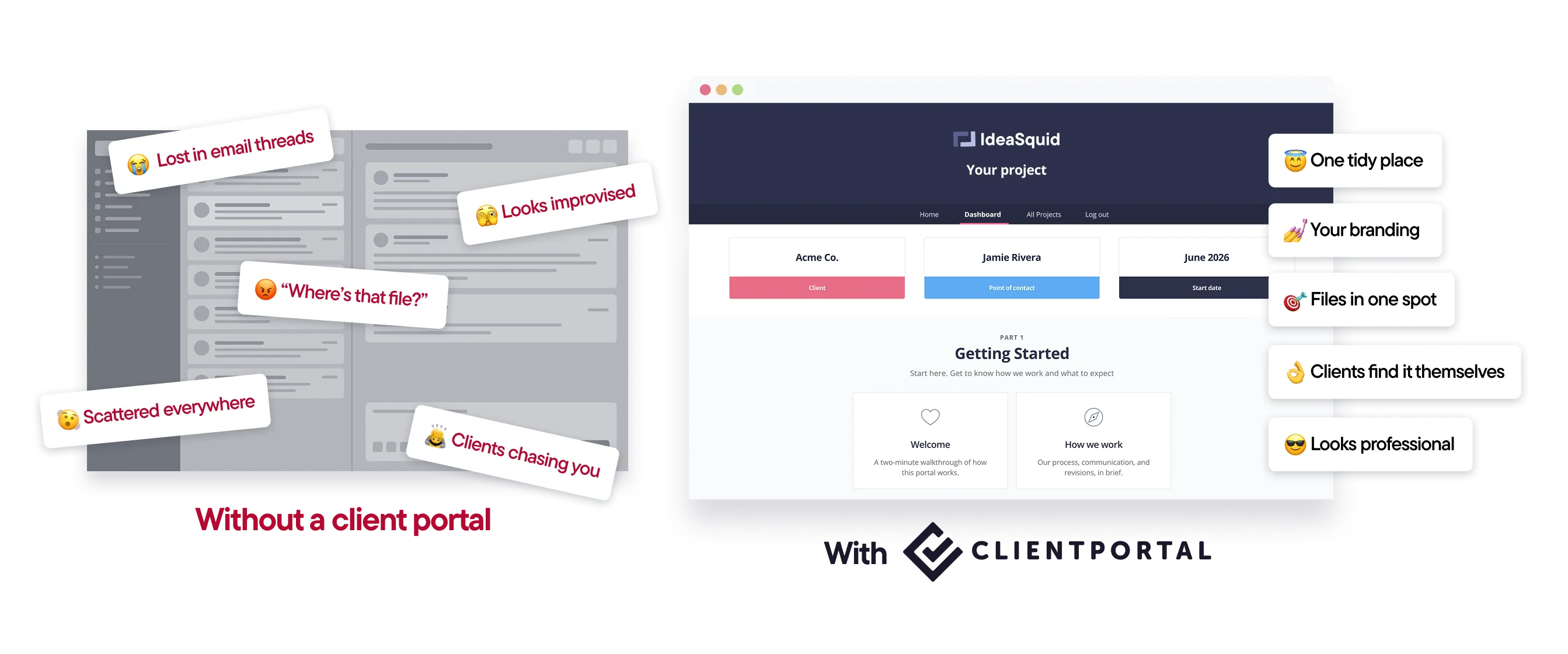
One place for the client, whatever tool it came from
Client Portal is a WordPress plugin. It runs on your own site, at your own address, so your client sees youragency.com and not someone else’s logo.
You build one portal per client and add what they need: the welcome video, the Figma prototype, the shared Google Doc, the onboarding form, your Calendly link. Nothing gets moved or rebuilt. The portal points to each thing where it already lives, in an order that makes sense to someone who isn’t you.
Keep whatever project management tool you already use. Client Portal isn’t one. It’s just the bit your clients see.
How it works
Start from a template.Pick a layout from the use cases, or build your own. Web design templates already follow the phases above.
Add your links and embeds.Forms, docs, videos, prototypes and booking links go in as they are.
Put anything sensitive in Private Files.Only that client can see it.
Send one link.That’s it. It’s the same link next month, and the month after.

“I finally feel like a proper agency now I have Client Portal. It’s something I’ve always wanted but I’ve never been able to find anything close to it.”
Features web designers use most
Your branding, on your domain
Portals carry your logo and colors and live on your own WordPress site, so clients never log into someone else’s app. You can also brand individual portals to match each client’s site.
Files kept out of the media library
Files you upload to a portal stay private and separate from the WordPress media library. For anything more sensitive, the Private Files module adds another layer of protection.
Comments and notifications
Clients can comment on portal pages, and both sides get notified about new comments and replies. No extra plugin needed.
Progress clients can follow
Clients can mark steps as complete, and you get a notification when they do. Reminders and digest emails nudge them about anything still outstanding.
Templates so you’re not rebuilding every portal
Start from the web design use case, or save your own process as a template and reuse it for each new client.
Separate portals for separate projects
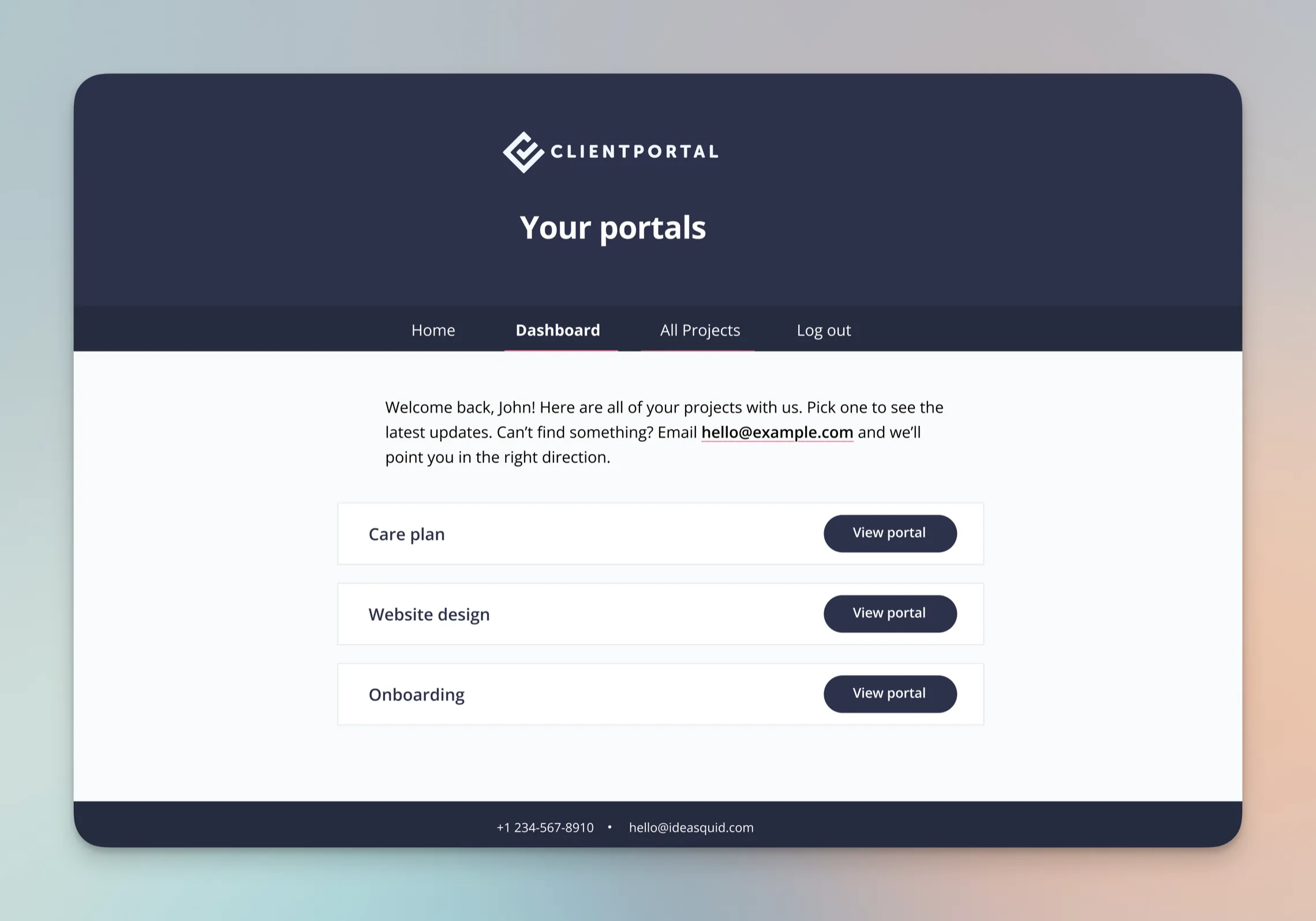
A client with a website build and a care plan can have a portal for each. They see them all listed on one dashboard.
What web designers say about Client Portal

My team uses Client Portal every day to share project information with our clients. Outside of the plugins we use to actually build websites in WordPress, this is probably the most-used plugin we have.
–Mark M.

I wish I had found Client Portal years ago while running a design agency. This is a great tool to help your design agency, or any business that works with clients, manage your client experience.
–Sam Brodie, Offsprout

I’m a graphic designer and developer with my own business, and Client Portal has been such a huge help. Each client has totally loved using it, and it’s made things so much easier for them and for me!
–Hannah Beasley
Templates you can use today
Import a ready-made portal from the gallery in one click, swap in your own links and branding, and send it to your next client.
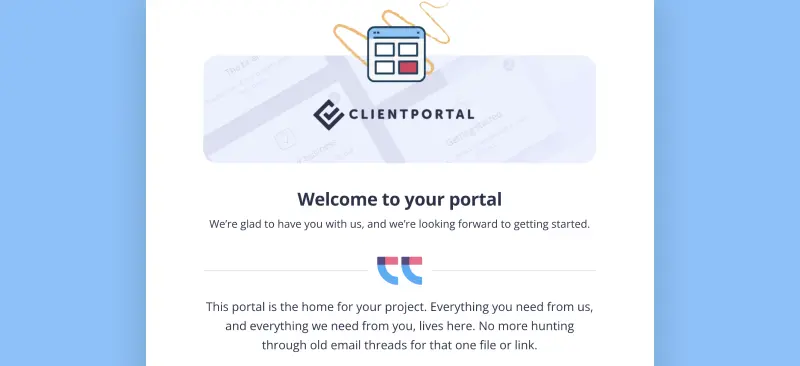
Client Onboarding
Use Client Portal to onboard every new client the same way
Care Plan
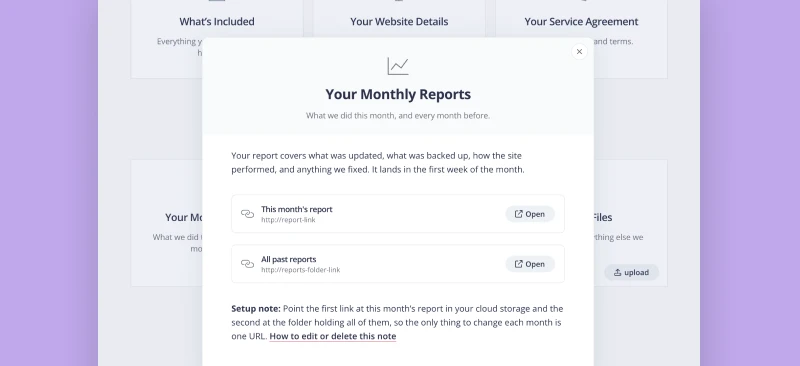
Ongoing site care, in one place. Plan details, this month's report, and small changes on request.
Is Client Portal right for your agency?
It’s a good fit if:
- Your site runs on WordPress
- You want clients to have one place to check progress and find files
- You’d rather keep your existing tools than move everything into a new platform
- You run repeatable projects and want to reuse the same structure
It’s probably not the right fit if:
- You want proposals, invoicing and e-signatures in the same place. An all-in-one platform like SuiteDash or Wayfront will suit you better.
- You’re not on WordPress. Client Portal is a plugin, so it needs a WordPress site to run on.
$199 a year · 30-day money-back guarantee

“I finally purchased it, and within days of using it, I had a few project templates created, went live with it, and clients absolutely love it! I should have purchased it much sooner!”
Frequently asked questions
“Is Client Portal a WordPress plugin or a SaaS app?”
It’s a WordPress plugin. It runs on your own WordPress site, so portals sit on your domain and your clients’ files stay on your server. There’s no separate app for clients to sign up to.
“Does it work with my theme and page builder?”
Yes. Client Portal installs like any other plugin and works alongside your theme and page builder. Portal pages are styled with your own logo and colors, and anything with a shortcode or embed code can go on them.
“Can clients upload files to their portal?”
Yes. Clients can upload files straight to their portal, and you get a notification when they do. Portal files are kept private and separate from the WordPress media library.
“What’s the difference between a client portal and a project management tool?”
A project management tool like Asana, ClickUp, Trello or Basecamp is built for your team. It holds the tasks, assignments, deadlines and internal discussion that keep the work moving.
A client portal is built for your client. It shows where the project is, the files they need, and what you’re waiting on from them, without the internal detail. With Client Portal it’s a page on your own WordPress site, so there’s no new app for them to learn.
Most agencies need both: one for doing the work, one for showing it.
“Does Client Portal replace Asana, ClickUp or Basecamp?”
No, and it isn’t meant to. Keep your project management tool for the work your team does. Client Portal doesn’t have task assignments, time tracking or internal threads, because your clients don’t need to see those.
What it replaces is the scattered side of the client relationship: the links sent in separate emails, the attachments, and the “can you resend that?” requests.
“Why not just invite clients into my project management tool?”
You can, but most agencies find it creates more work than it saves. Clients have to create another account and learn an interface built for your team, and they see the internal side of the project: every task, comment and change of deadline. Some tools also charge for guest seats or limit how many guests you can invite.
A portal gives clients only what’s relevant to them, on your own website, with your branding.
“Can clients see my Asana, ClickUp or Trello board in the portal?”
Yes, if you want them to. If your tool can share a public or read-only view, you can embed it on a portal page, so clients can follow progress without logging into your tool. You decide which board, and which page it goes on.
“Why not use an all-in-one platform instead?”
If you want proposals, invoicing, e-signatures and your portal in one product, an all-in-one platform like SuiteDash or Wayfront may suit you better. Client Portal is for agencies who’d rather keep the tools they already use and give clients one place to find them.
“How long does it take to set up a portal?”
Starting from the web design template, most portals take a few minutes. Once you’ve built one you’re happy with, save it as a template and reuse it for every new client.
“Can I brand each portal to match the client?”
Yes. Portals use your branding by default, and you can change the logo and colors on individual portals to match each client’s site.
“Does Client Portal handle invoicing or e-signatures?”
Not directly. You can link or embed invoices, proposals and contracts from the tools you already use, but Client Portal doesn’t create or sign them.
“How much does Client Portal cost?”
$199 a year for one site. That includes unlimited portals, unlimited clients, updates and email support, with a 30-day money-back guarantee. There’s no higher tier.
“What happens if my license expires?”
Your portals stay live and your clients can still log in. You won’t be able to edit portals from WordPress, and updates and support stop until you renew.
Give every client one place for their project
Client Portal is $199 a year for one site, with unlimited portals and unlimited clients. There’s no higher tier. If it’s not right for your agency, you’ve got 30 days to get a full refund.
Get Client Portal