Table of contents
Today, I want to share with you four mini-features that are coming with this release. These may seem small, but they’ve been requested repeatedly and, honestly, are things that should mostly have been doable before now.
Mini-feature #1: A fully editable, customizable menu
This is something we get asked about all the time. While we have a workaround to edit the menu, we’ve been aware for a long time that this needs to be more ‘point and click’ editable instead of ‘paste this code’ editable.
And now it is! You can add menu items, remove them, change the wording, URL’s. You can even add a call to action button and social icons!
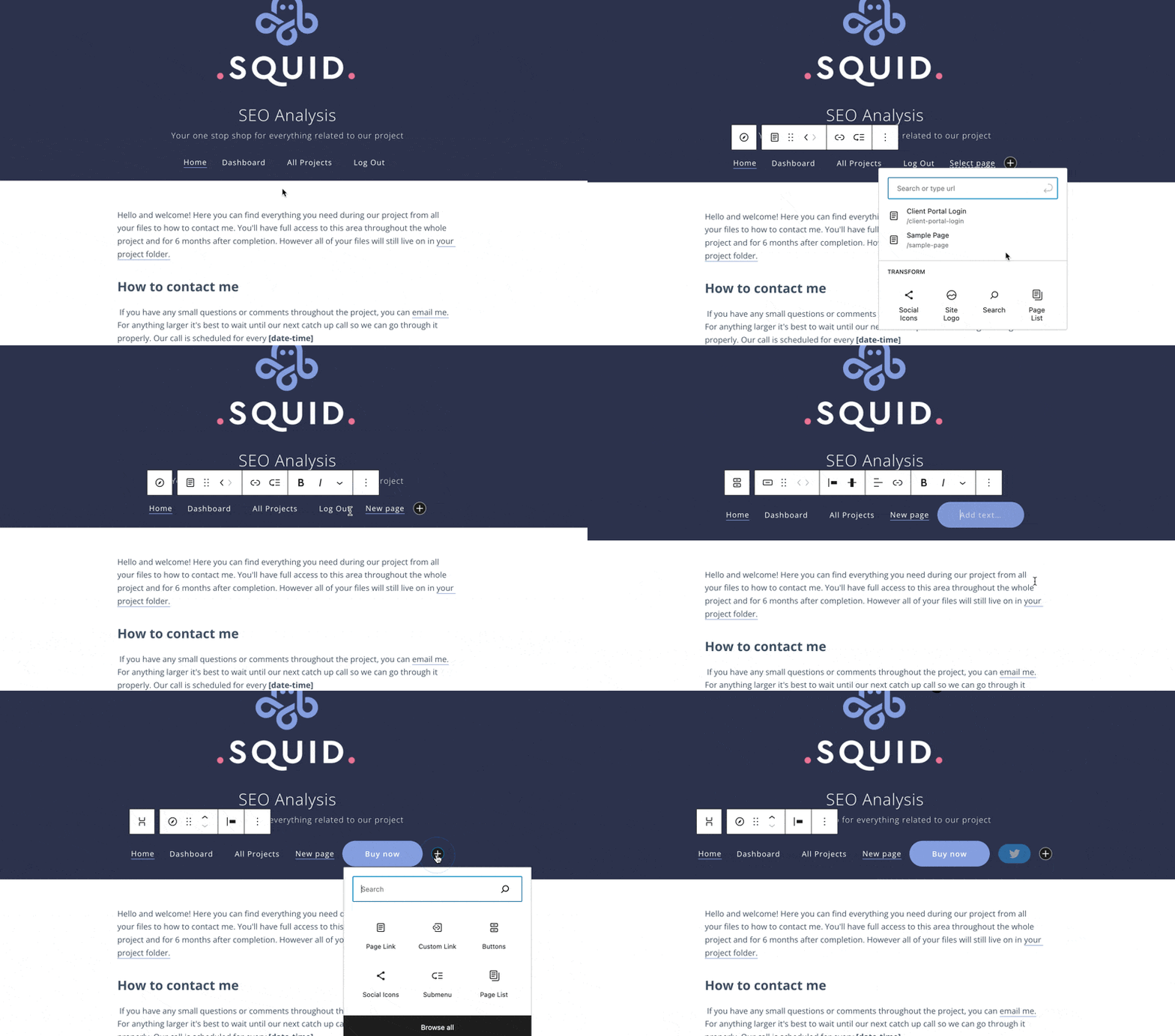
Finally, eh?
Mini-feature #2: Move modules into different phases
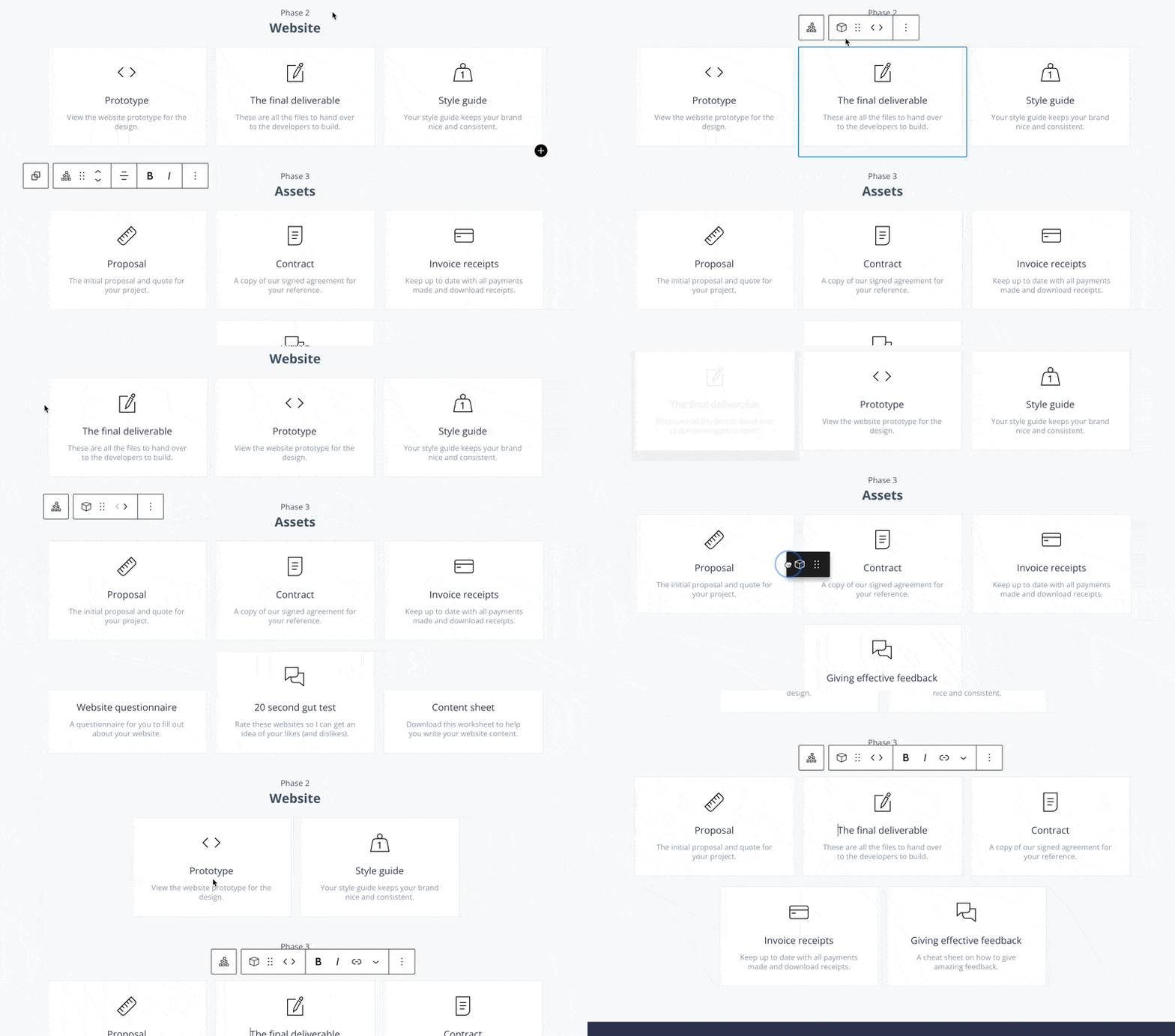
While you’ve always been able to re-order modules and phases, until now, we have never had a way for you to move a module from one phase to another without recreating it.
Mini-feature #3: Merging the links and URL module
When I first created Client Portal, each module could only link to one URL (we didn’t even have file uploads or content pages!). The idea was a beautiful, branded bookmark-style portal.
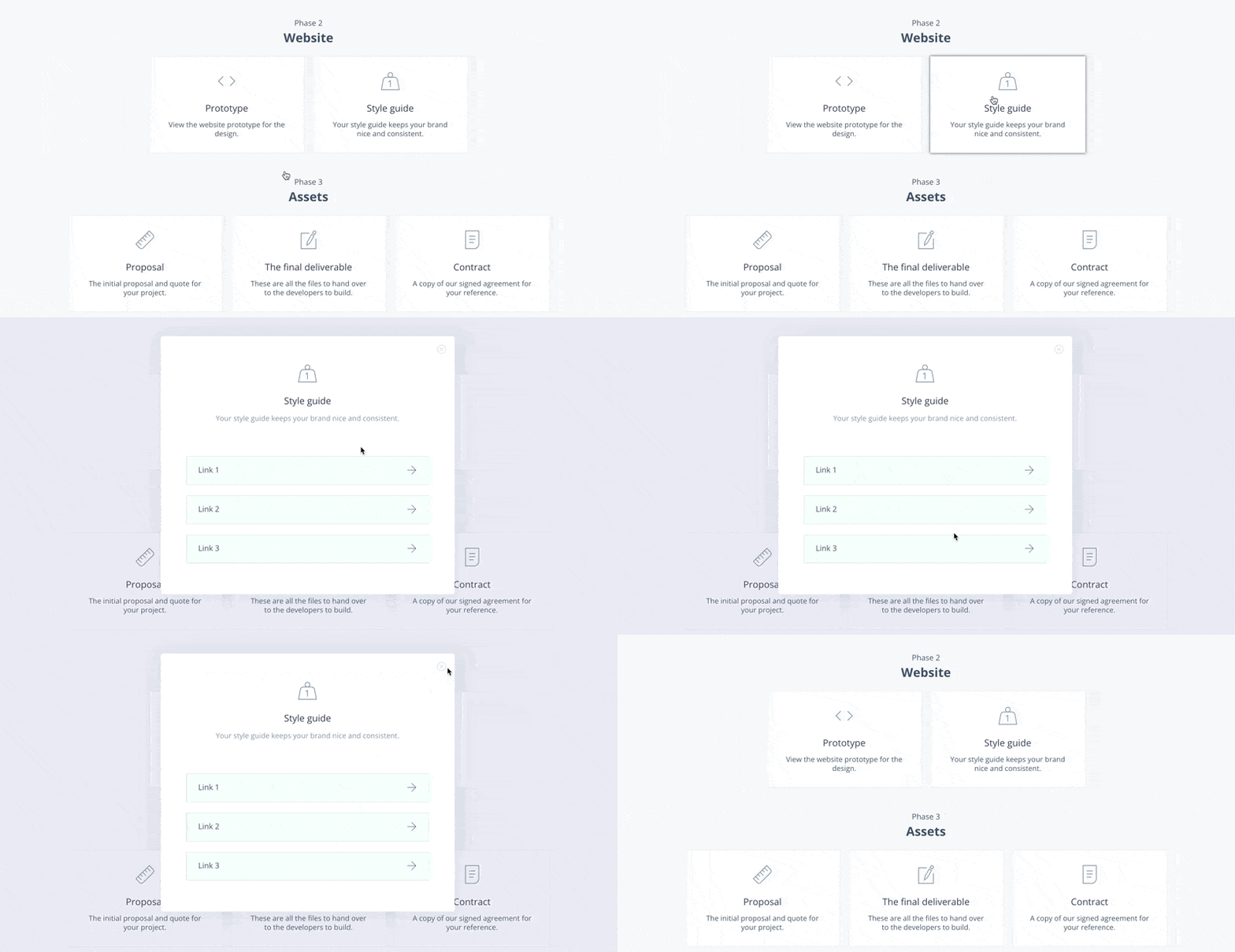
As the product evolved, we got asked how to add multiple links to the same module to keep portals leaner. So we added the option for multiple URLs, but this was a totally separate module type, which didn’t make much sense.
Now we’ve consolidated these, so we have one URL module type – and you can simply add as many URLs as you like.
Mini-feature #4: Custom logo size
The final mini-feature is you can now add a custom logo size. Before, you had to upload either the exact size you wanted, or we set it to out default 270px width.
Since I use Client Portal a lot myself, I always found it frustrating trying to get the perfect logo size for my portals. So this mini-feature is one I’m particularly happy about.
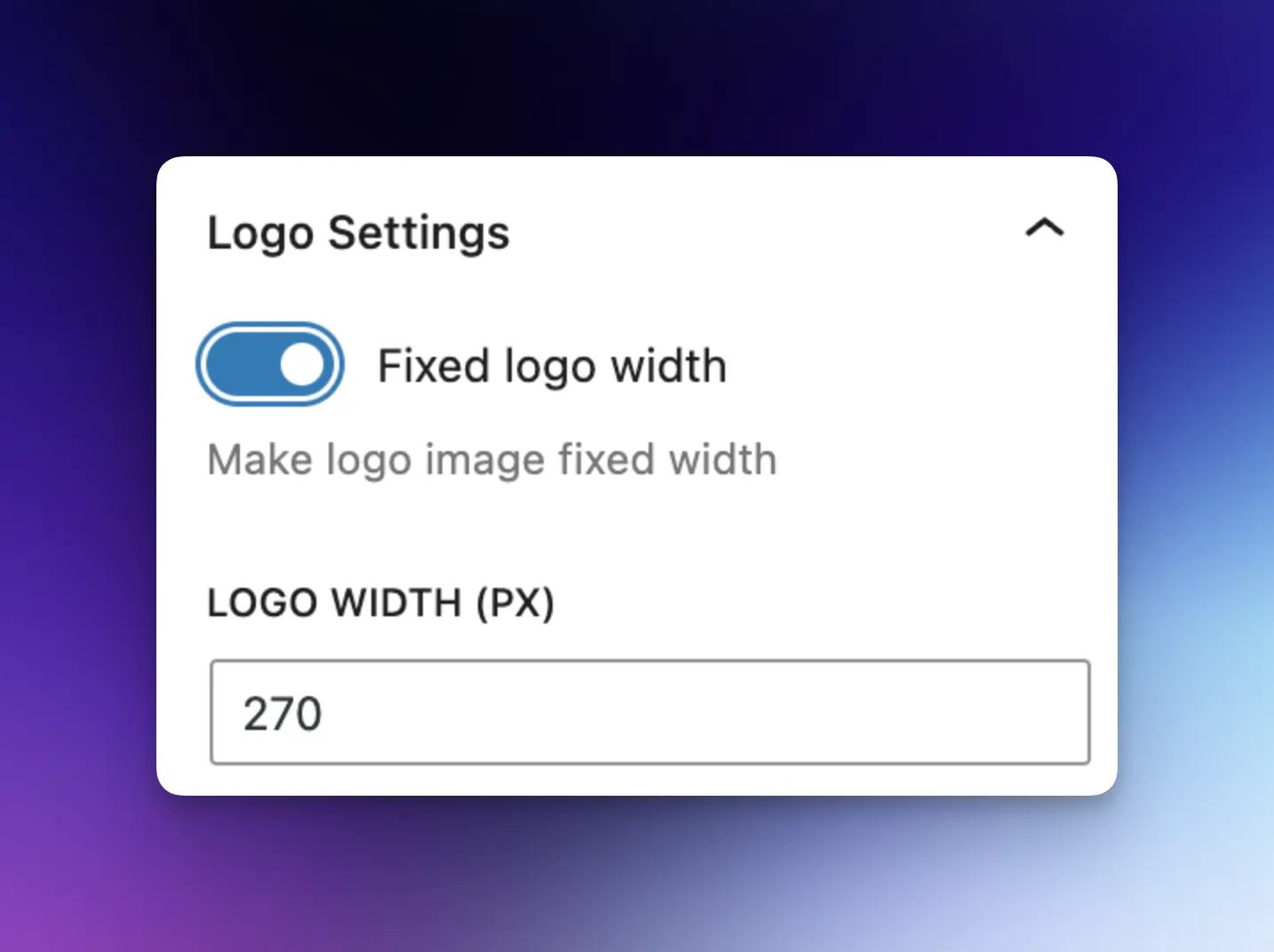
Now, you can set a custom logo size directly in Client Portal. Hooray!
So those are the four mini-features that are coming with Client Portal 5.0.
The truth is, a lot of these features aren’t sexy. But I think it’s the little details like this that can make or break a product.
We’ve been so focused on the bigger features that these have fallen by the wayside. But now I truly think Client Portal is good enough that we can start to tweak these details.
And I’m sure many of you will be more excited about these mini-features than if we announced something flashy.
Next week, I’m going to be talking about what’s next for Client Portal in 2024, and our focus after 5.0 is in the wild.