Table of contents
Client Portal version 5.5 has been released!
When we first launched Client Portal back in 2016, the ability for clients to leave comments in portals was part of our original plan.
However, WordPress comment security was somewhat different back then. We couldn't figure out how to do it properly without creating privacy issues between different client portals. So we reluctantly put it on the back burner.
Fast forward to 2025, and we've finally cracked it.
I'm really excited to announce that comments on content pages are now live for all Client Portal users! Your clients can now leave feedback directly on project guidelines, brand documents, proposals, or any other content you want their input on.
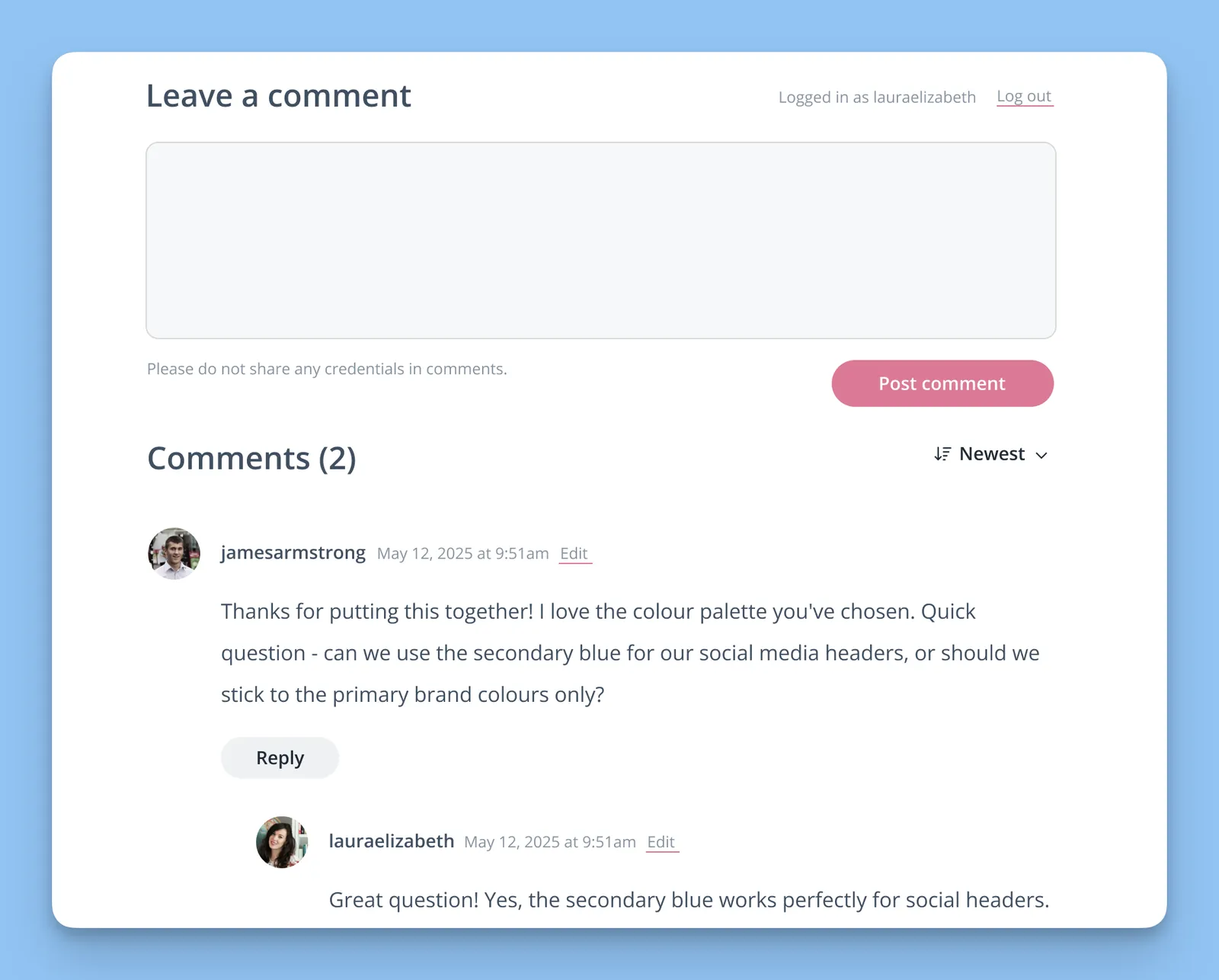
How the new comments feature works
The update is completely free for everyone with an active license. Here's how to use it:
- Enable comments - Turn on the Discussion setting when editing any content page
- Add to portal - Include the content page in any portal as usual
- Let clients comment - They can leave feedback directly on the page
That's it. Simple as that.
(Want a more detailed tutorial? Check out our support document for the new comments feature.)
What you can use comments for
This feature is perfect for:
- Collecting feedback on deliverables - Brand guidelines, proposals, reports
- Answering questions about process documents - Project timelines, requirements
- Getting input on drafts - Copy, designs, strategy documents
- Ongoing project discussions - Without cluttering your main inbox
The beauty is that everything stays organized right where it belongs, rather than getting buried in email threads.
Why it took 9 years to get this right
You might wonder why such a seemingly straightforward feature took nearly a decade to implement. The honest answer? WordPress comment security.
Back in 2016, we struggled to implement comments properly without creating privacy issues between different client portals. Client A shouldn't be able to see Client B's comments, obviously. But WordPress comments weren't designed with this kind of multi-client privacy in mind.
Rather than rushing out a half-baked solution that might compromise client privacy, we decided to wait until we could do it properly. It's taken this long, but we've finally developed a system that keeps everything secure while remaining simple to use.
Comments are completely private to each client portal. Client A can't see Client B's comments, even if they're both commenting on similar content pages. Everything stays separate and secure.
See comments in action
Want to see how comments look from your client's perspective? We've set up a sample content page with comments enabled in our demo portal.
👀 Check out one of our demo portals here
Getting started with comments
If you're already a Client Portal user, the comments feature is available to you now. Check out our support documentation for everything you need to know about using this new feature.
Haven't tried Client Portal yet? This might be a good time to have a look. Comments are just one part of what makes Client Portal useful for keeping client projects organized, but they're a pretty handy part.
What else has been updated in Client Portal?
We continually release new fixes and smaller features for Client Portal. We won't list them all here, but you can check out our changelog to see everything that's been happening.
Some of the updates include:
-
Fixed an issue where the content page sidebar items were not displayed correctly for new portals created after 5.4.0.
-
Fixed compatibility issues with the Avada theme.
-
Fixed an issue with a PHP error that occurred during plugin installation.
What's next for Client Portal?
We're making some updates to our Notifications feature. Soon, you will be able to set notification preferences on a per-portal basis (as opposed to the same settings for all portals).
As always, you can view the current feature requests on our roadmap. If you have any additions you'd like to make, we'd love to hear from you. Contact us here and tell me what you'd like to see.
That's it from us! We hope you enjoy this new update, and please don't hesitate to give us your feedback on how we can improve it or any other features you'd like to see in a future release
Ready to try comments in your client portals? Check out Client Portal and see what it's all about.
Current Client Portal user? Head over to your dashboard and start enabling comments on your content pages.