
Show the admin bar in portal previews and the block editor
By default, WordPress hides the admin bar in portal previews and in the block editor’s fullscreen mode. This article shows how to display it for admins (or editors) and how to reveal it in the editor.
Before you begin: You’ll need WordPress admin access and the Code Snippets (or WPCode) plugin installed.
Show the admin bar when previewing a portal
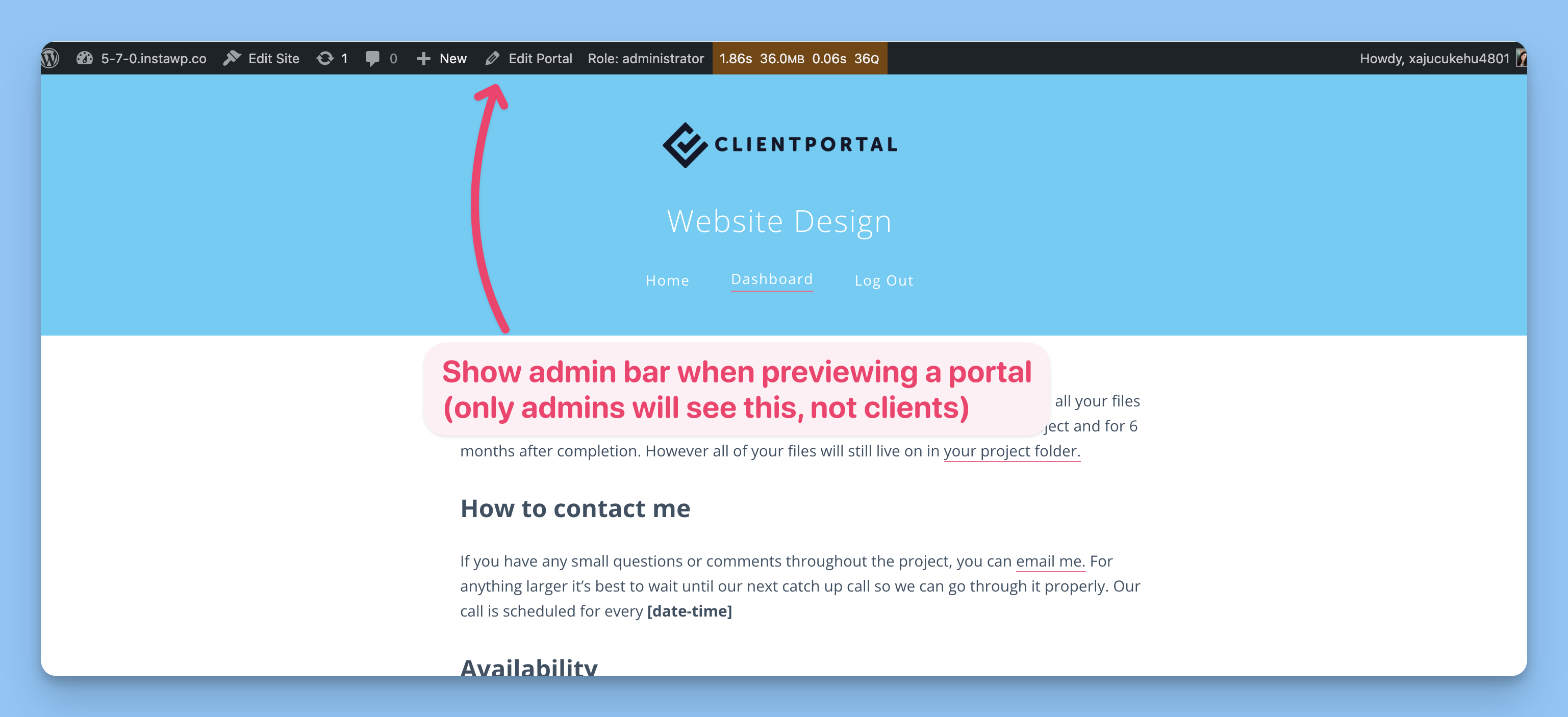
Admins will see the admin bar in portal previews.
Client Portal supports a filter that lets you control who sees the admin bar in portal previews. We recommend adding the snippet with a plugin like Code Snippets so theme updates don’t overwrite your changes.
Editing functions.php directly can break your site if there’s a syntax error. Code snippet plugins reduce that risk, but any PHP snippet can still cause errors if it’s incorrect. Make sure you back up your website before making any changes to your functions.php .
Add the snippet with Code Snippets
Go to Snippets → Add New.
Name the snippet (for example, “Show admin bar in portal preview”).
Set Code Type to PHP Snippet and Run snippet to Run everywhere.
Paste one of the snippets below.
Save the snippet and set it to Active.
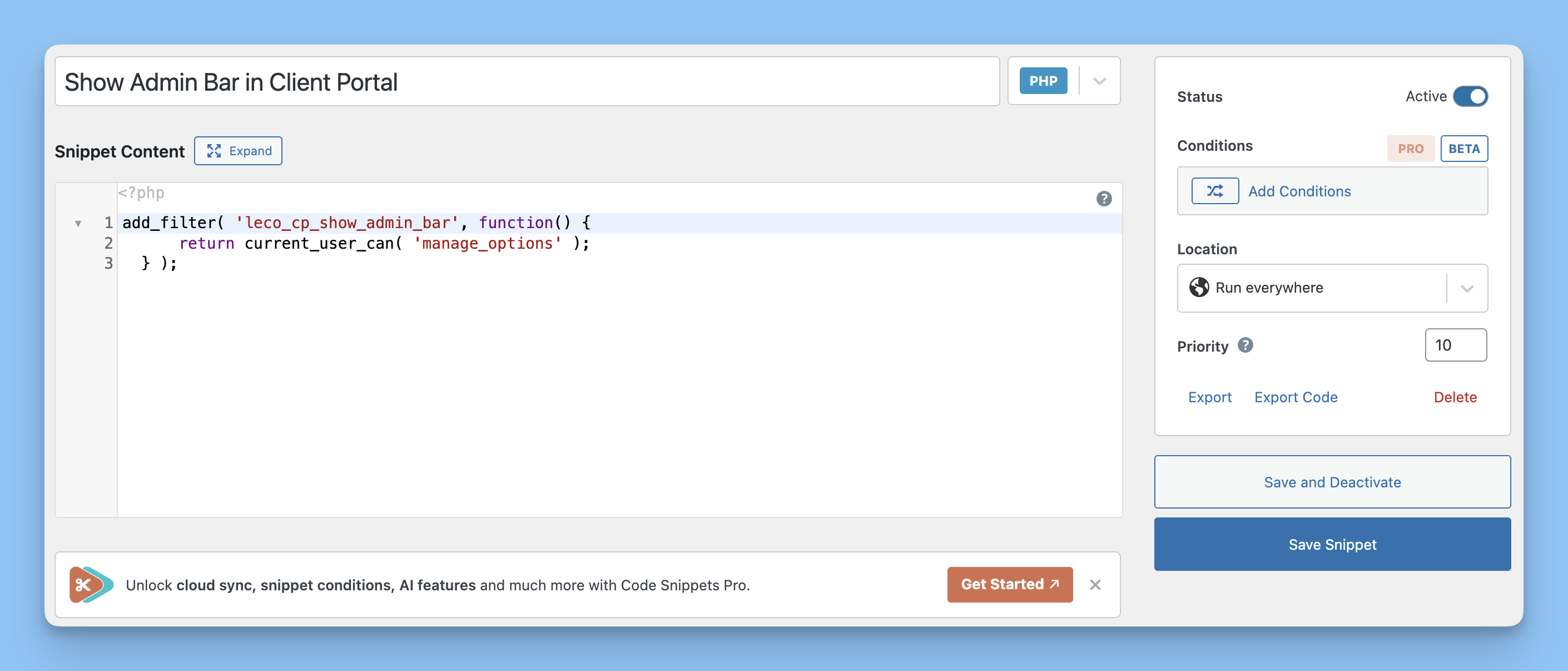
Add the PHP filter in a snippet plugin and activate it.
Option 1: Admins only
Use this to show the admin bar only for administrators (users with the manage_options capability). Clients with the leco_client role will not see it.
add_filter( 'leco_cp_show_admin_bar', function() {
    return current_user_can( 'manage_options' );
} );
Option 2: Admins and editors
Use this version if you want editors and above to see the admin bar. Clients are still excluded.
add_filter( 'leco_cp_show_admin_bar', function() {
    return current_user_can( 'edit_others_posts' );
} );
Show the admin bar in the Client Portal block editor
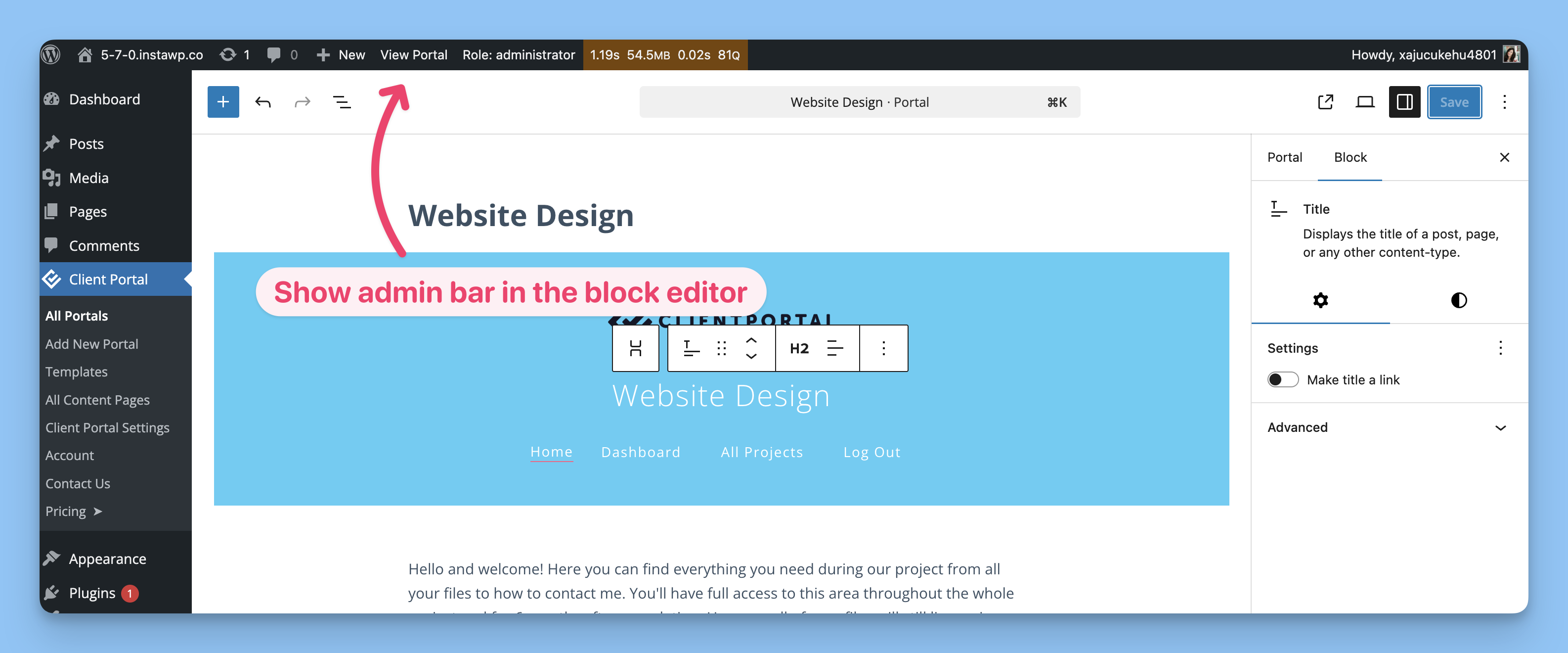
Admin bar and sidebar visible after disabling Fullscreen mode.
WordPress 5.4+ defaults the block editor to Fullscreen Mode, which hides the admin bar and left sidebar. You can toggle fullscreen off to show both.
In the block editor, click the three-dot menu (⋮) in the top-right corner.
Click Fullscreen mode to toggle it off.
The admin bar and left sidebar menu will reappear.
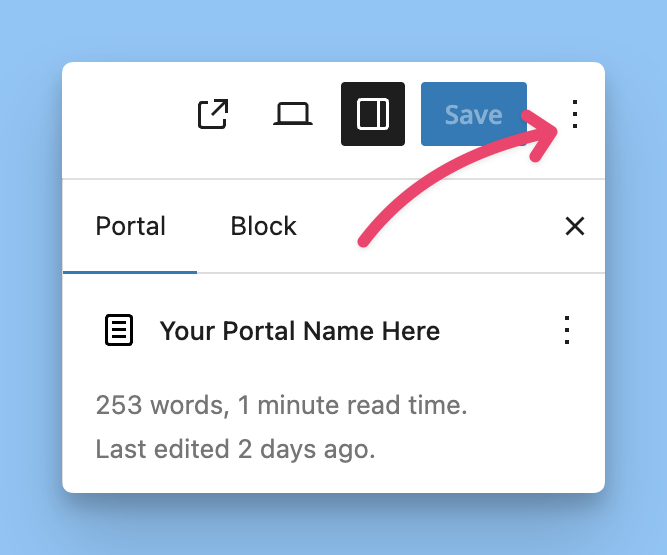
Open the block editor options menu.
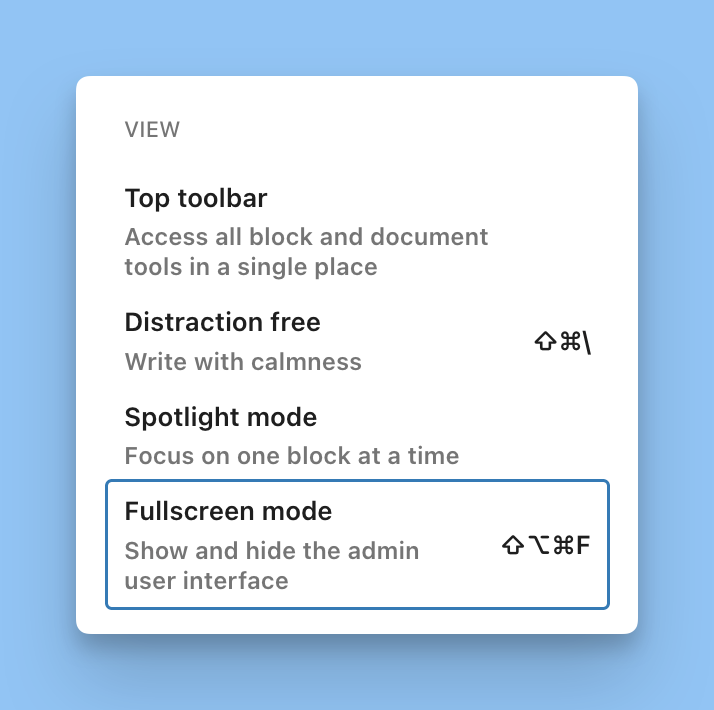
Toggle Fullscreen mode off to show the admin bar and sidebar.
WordPress stores this preference in your browser’s local storage, so it may reset if you switch browsers or use incognito mode.